
The phone browser site
LuckyRiches runs in the phone browser, with Home, Casino, Live, Missions and Bonuses in the bottom bar. Log in and the teal Sign Up button sit at the top right. The dark petrol background, gold banner borders and welcome artwork remain part of the phone layout. The cowboy and the explorer holding a map identify the welcome banner without changing the offer itself.
My three welcome deposits were €10, €20 and €20. The phone was useful for returning to the account balances and the Casual progress bar during the seven-day mission. Those were separate destinations, not one combined score. The matched bonus amounts were €10, €20 and €20 before free spin winnings, while the mission required qualifying cash-funded spins.
A friend in Limerick prefers opening a saved home screen icon rather than typing an address. A mate from Halifax starts with the cashier because he uses Interac. Both routes lead to the same LuckyRiches account. Neither installation nor the choice of browser creates another welcome package, another mission tier or a separate balance for phone sessions.
The bottom bar
| Button | Destination | What I used it for |
|---|---|---|
| Home | Main page | Returning to the banners |
| Casino | Game catalogue | Finding slots and the search field |
| Live | Live tables and shows | Moving away from slot rows |
| Missions | Raid the Riches | Reading the progress bar |
| Bonuses | Promotions | Opening the welcome offer stages |
Missions has the safe artwork used elsewhere on the site. Casino is the route to Most Popular, Recommended and New Releases, while Live has its own table tabs. That separation saved a trip through the home banners when moving between games and account tasks. The bottom labels are short enough to remain distinct from the larger promotional text above them.
The search field says “Search for a game or studio…”. It is useful for a known title rather than a browsing category. The slots page records the named games and studios, while the live page covers tables. HOT and NEW tags belong to game tiles, not to different phone editions of those titles.
Adding the site on iPhone
On iPhone, the Install page explains how to save the site to the home screen in Safari. The sequence includes View More between More and Add to Home Screen. LuckyRiches does not list a separate App Store app.
- Open LuckyRiches in Safari.
- Tap More.
- Choose View More.
- Select Add to Home Screen.
- Tap Add.
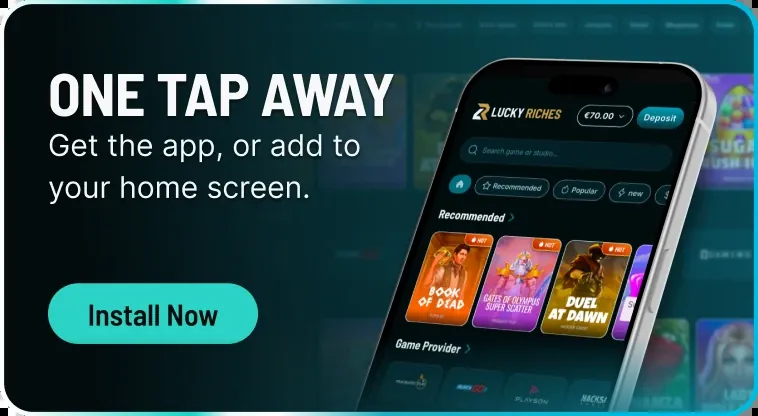
The banner says “One tap away. Get the app, or add to your home screen.” The iPhone instructions describe the home screen option. I treated it as a shorter way back to the same account, not as a new casino product. The login details remain those used for the browser account.
Android installation choices
Android has two stated routes. The Install page supplies a QR code for downloading an Android app file, or APK. Chrome also offers an installation sequence that creates a shortcut. The two routes are alternatives, not consecutive required steps.
- For the APK route, scan the QR code on the Install page.
- Download the Android app file and install it.
- For the Chrome route, open More in the browser.
- Select Install and create shortcut.
- Tap Install.
The Android QR download appeared in the 10 November 2026 change record. A colleague in Cork uses the browser route because she already opens live blackjack there.
Games and live tables
During phone sessions, I returned to familiar titles in Most Popular, including 9 Masks of Fire, Sweet Bonanza and Elvis Frog in Vegas.
Live Casino has Recommended, Game Shows, Roulette, Blackjack, Baccarat and Poker. Crazy Time, Lightning Roulette and One Blackjack are among the listed choices. Live in the bottom bar returns to that catalogue. A stream on a phone is still part of the same live account; it does not get a different wagering contribution merely because the screen is smaller.
- Slots contribute 100% towards bonus wagering.
- Live casino contributes 10%.
- Crash, arcade and table games contribute 5%.
- Poker and jackpot games contribute 0%.
I used the phone to move between the game and the mission bar. The useful part was seeing which account screen I was on, not treating the home screen icon as a different casino.
Frank Op de Woerd
The mission and cashier screens
Casual starts at €0.10 per spin, with four levels and 28 challenges across seven days. Only bets made entirely from cash count; free spin rounds do not count, and a bonus buy counts as one spin. The bar appears on the Missions page and in the account. It does not measure the same thing as the bonus wagering total.
Switching mission tier forfeits the old progress, while already earned free spins stay. One tier can be active at a time. The mission page carries the four tier amounts separately from the welcome package. Rewards go to the bonus balance unless the mission says cash, so moving back to the cashier can show a different balance category from the one expected.
The cashier includes Interac, cards, wallets, bank transfer, Ethereum and TRON. Its withdrawal minimum is €20, and casino processing typically takes up to five banking days after KYC, before bank or network time. The payments page separates those periods. Phone access does not alter the document requirements or the last-deposit-method rule for withdrawals.
Get €5,500 + 300 spins opens the welcome offer route. Log in returns existing players to their account. Live Chat is available 24/7, and Help topics include Account, Games, Verification and Missions. Those support routes remain separate from the phone's installation menus and the browser's saved home screen icon.